Calfit is a food tracking app, not a medical device. It does not give medical advice. If you count carbohydrates to dose insulin, agree your method with your diabetes team, and check the figures against a label or a scale before you dose.
A carb counter app for diabetes has one job: tell you how many grams of carbohydrate are in what you are about to eat, and keep a record of it. Calfit does that. It counts grams. It does not tell you what to do about them, and this page is as much about that second sentence as the first.
What Calfit actually counts
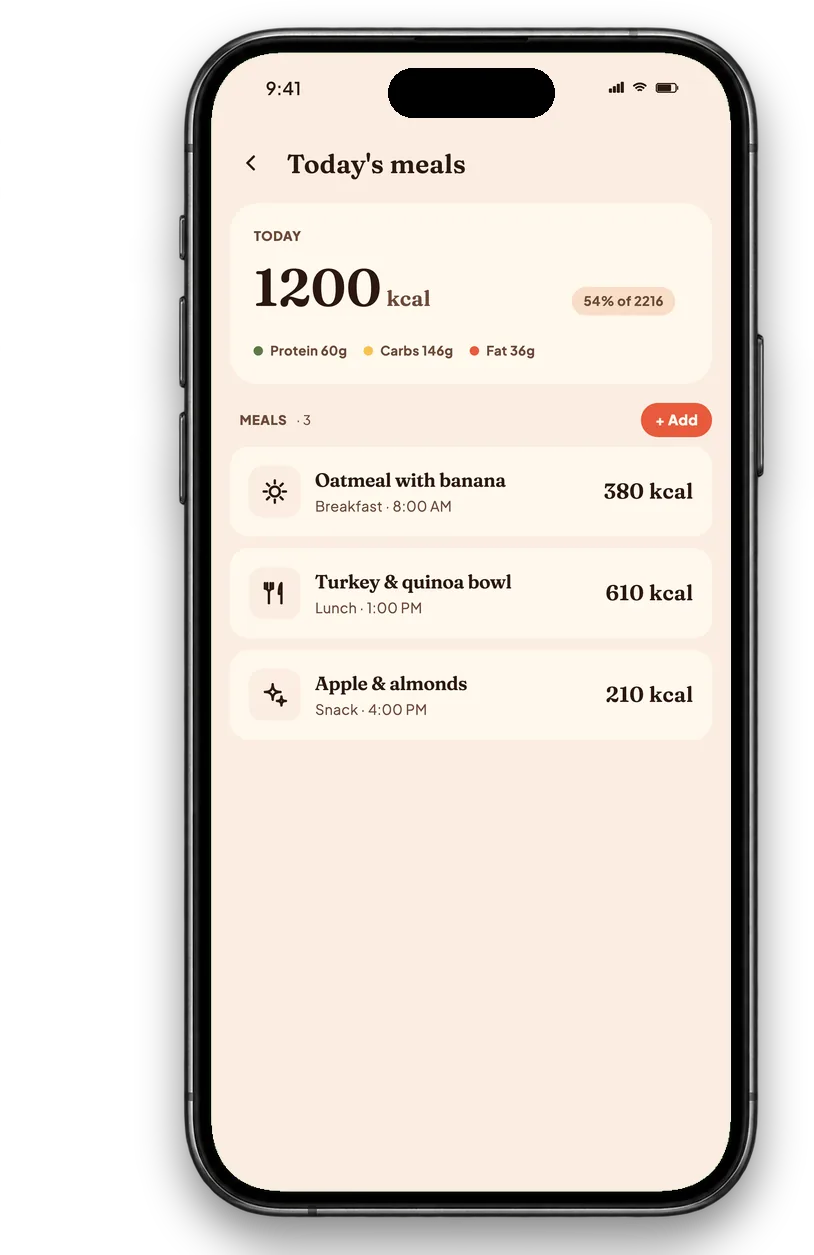
Every food you log returns four numbers: calories, protein, fat and carbohydrate in grams. Carbs are not buried behind a premium tier or a settings toggle. You can see them per food, per meal and per day, and you can set a daily carbohydrate target and watch it fill the same way the calorie target does.
- Per food. Grams of carbohydrate for each item in the meal, not just a total for the plate.
- Per meal. A running figure as you add things, which is the number most people counting carbs actually want.
- Per day. A daily total against a target you set yourself.
- A history. The food diary keeps every logged meal, so there is something to show at an appointment rather than trying to remember last Tuesday.
The accuracy limit, stated before anything else
This is the part most app listings leave out, so here it is plainly.
A photo estimate can be 20 to 40% out on a mixed meal. That is true of Calfit and it is true of every photo based food scanner. The reasons are physical rather than fixable with a better model: a camera cannot see the oil in the pan, it cannot weigh the rice underneath the curry, and an ordinary photograph carries no depth information, so portion size is an educated guess. Our longer write up of how photo calorie counting works goes through each failure mode.
So do not dose insulin off a photo estimate. Ours or anyone else's. A 30% error on a 60 g plate of pasta is 18 g of carbohydrate, and that is a meaningful number to be wrong by. Use the label or the scale for anything you are dosing from.
What a scanner is genuinely good for is the opposite case: the meals you would otherwise not log at all. An approximate record of a week is more useful than an exact record of the three days before you gave up, and a carbohydrate history is worth having even when the individual figures are rough.
When to use the barcode instead, which is most of the time
For anything packaged, scan the barcode rather than photographing it. The barcode returns the manufacturer's own declared figures, which are exact rather than estimated, and for carbohydrate counting that difference matters more than it does for calories.
The practical split:
- Packaged food, bread, cereal, yogurt, ready meals, anything with a label: barcode. Exact.
- Single whole foods, an apple, a portion of rice, a potato: the camera is reasonable, and weighing it is better.
- Mixed and restaurant meals: the camera gives you a record. Treat the number as a rough one and say so in your own notes.
Why a log is worth keeping even when the numbers are approximate
Carbohydrate counting is usually taught with a scale and a label, and that remains the accurate method. The gap it does not close is the one between what people are taught and what they keep doing. Logging every meal on a scale is a lot of work, and the common failure is not miscounting but stopping.
A log that exists is a different object from a log that is perfect. It shows patterns across weeks, which meals repeat, where the carbohydrate actually sits in your day. Those are things you and your diabetes team can look at together, and they do not require any individual entry to be exact.

What Calfit will not do, and will not add
Worth being explicit, because several apps in this category blur the line.
- No insulin guidance of any kind. No doses, no units, no insulin to carbohydrate ratios, no correction factors, no timing suggestions.
- Nothing about blood glucose. Calfit does not read it, predict it, interpret it or set targets for it.
- No claim to treat, manage or control diabetes. It is a food diary with a camera on the front.
- No claim to be a medical device, and no regulatory clearance is implied or held.
That list is a deliberate product decision rather than a feature gap. A carbohydrate figure that someone might dose from carries a different obligation than a calorie figure, and the honest response to that is to count carefully and stop there. The rest of what the app does, and does not do, is in what a calorie counter app should do.
How to use it alongside the method you were taught
If you already count carbohydrates with a scale and labels, Calfit is not a replacement for that and is not trying to be. The way it fits:
- Keep your existing method for anything you dose from. Label or scale, as your team taught you.
- Use the camera for the meals you would otherwise skip. Eating out, someone else's cooking, the day you have no time.
- Let the history accumulate. The value is in weeks of it, not in any single entry.
- Take it to your appointment. A real record of what you have been eating is a better starting point than a recollection.
Sources
- FoodData Central, US Department of Agriculture, 2019
- Evaluating the quality and comparative validity of manual food logging and AI enabled food image recognition in apps for nutrition care, Nutrients, 2024
- Living with type 1 diabetes, NHS, 2024
- Healthy living with diabetes, National Institute of Diabetes and Digestive and Kidney Diseases, 2023
- Food labels, NHS, 2026
How this was made
Written by Abdullah Javaid, founder of Calfit, drafted with AI assistance and edited by hand. Carbohydrate values come from food composition data such as USDA FoodData Central and, for barcodes, from the manufacturer's declared figures, and the 20 to 40% range for photo estimates reflects published testing of photo based apps, which reports ranges rather than a single figure. Everything stated about what Calfit does was checked against the app on 2026-09-23. Nothing here is medical advice, and no claim here has been reviewed or cleared by any regulator.