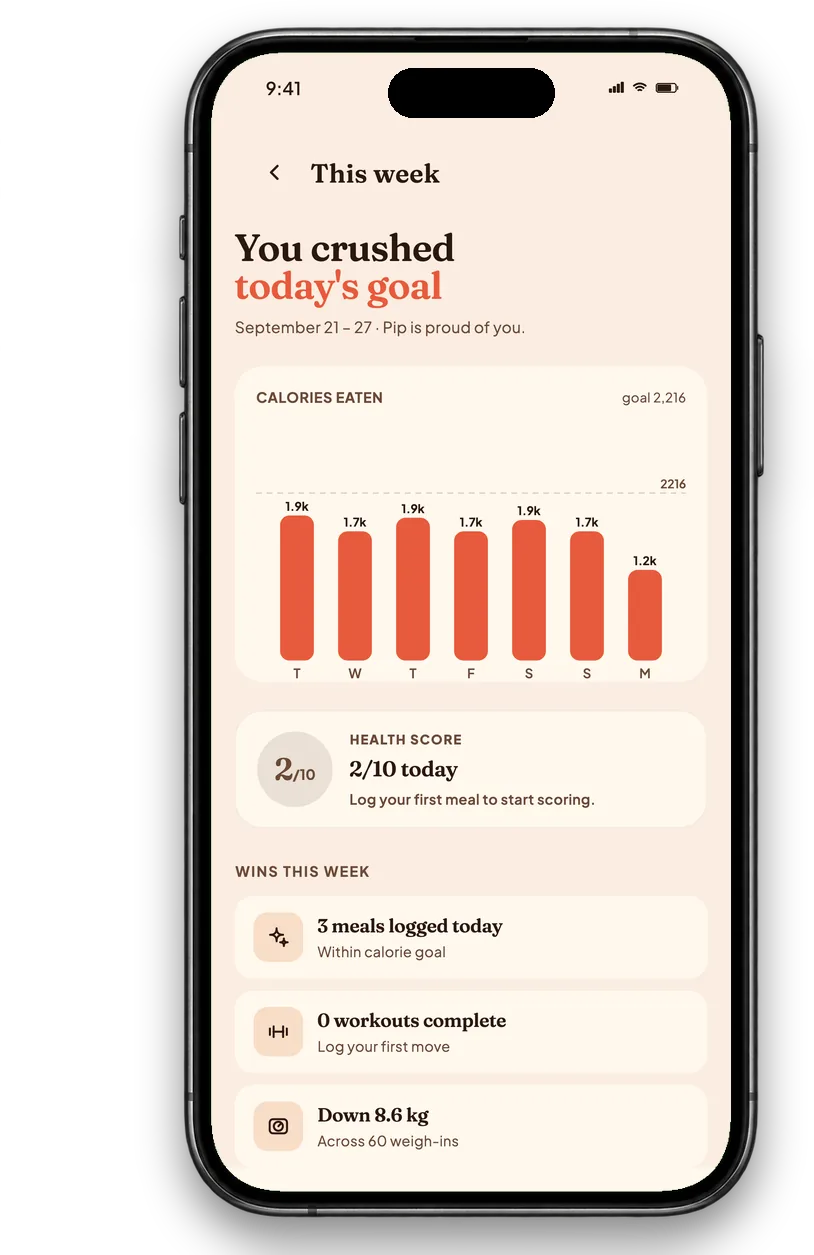
Most calorie counter apps are a database with a search box. You type "chicken", scroll past forty entries, guess the portion, and repeat it four times a day until you stop. The apps that people keep using do eight things, and the difference between them is mostly how much work each one asks of you.
Here is what each of those eight looks like in Calfit, with the actual screen rather than a description of it.
The screens below are rendered from the real app. The meals and numbers in them are sample data, not a record of anybody's day, because a public screenshot should not carry a real account's food log.
1. A photo food scanner that shows its working
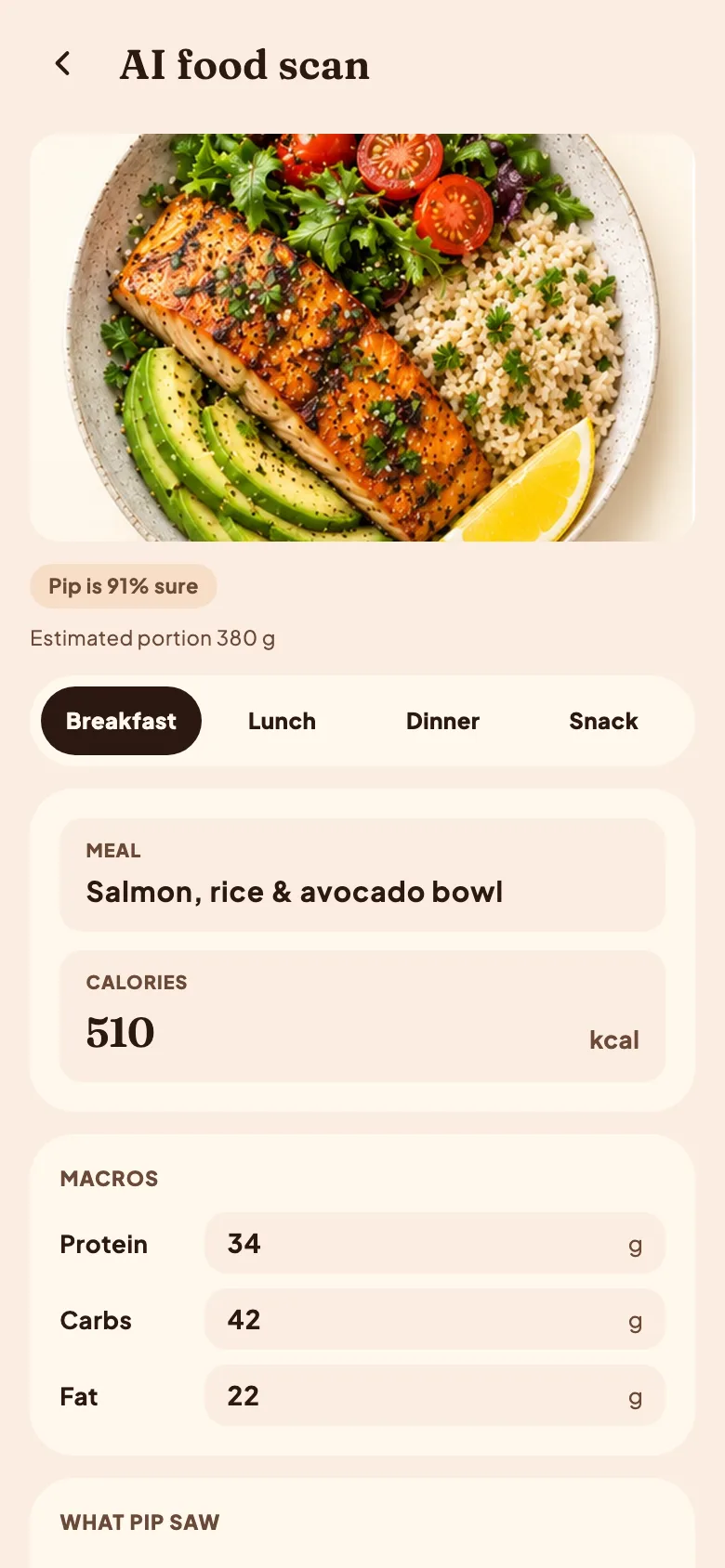
This is the screen the whole app is built around. You photograph a plate and an AI food scanner returns the meal, the calories and the three macros. It is the difference between logging a meal in five seconds and logging it in five minutes, and it is why a photo calorie counter gets used on the days a database does not.
Two details on that screen matter more than the headline number:
- The confidence figure. "Pip is 91% sure" is not decoration. A scanner that returns one confident number for a photo of a stew is being polite rather than accurate. A low figure is the model telling you this one needs a second look.
- The estimated portion, in grams. 380 g, stated and editable. Portion is where nearly all the error in photo estimation lives, because an ordinary photograph carries no depth information, so showing the guess is the only honest way to present it.
The limits are real and we write them down rather than around: a photo estimate can be 20 to 40% out on a mixed meal, and cooking oil is invisible to a camera. The full account is in how photo calorie counting works.
2. A macro tracker you can read in one glance
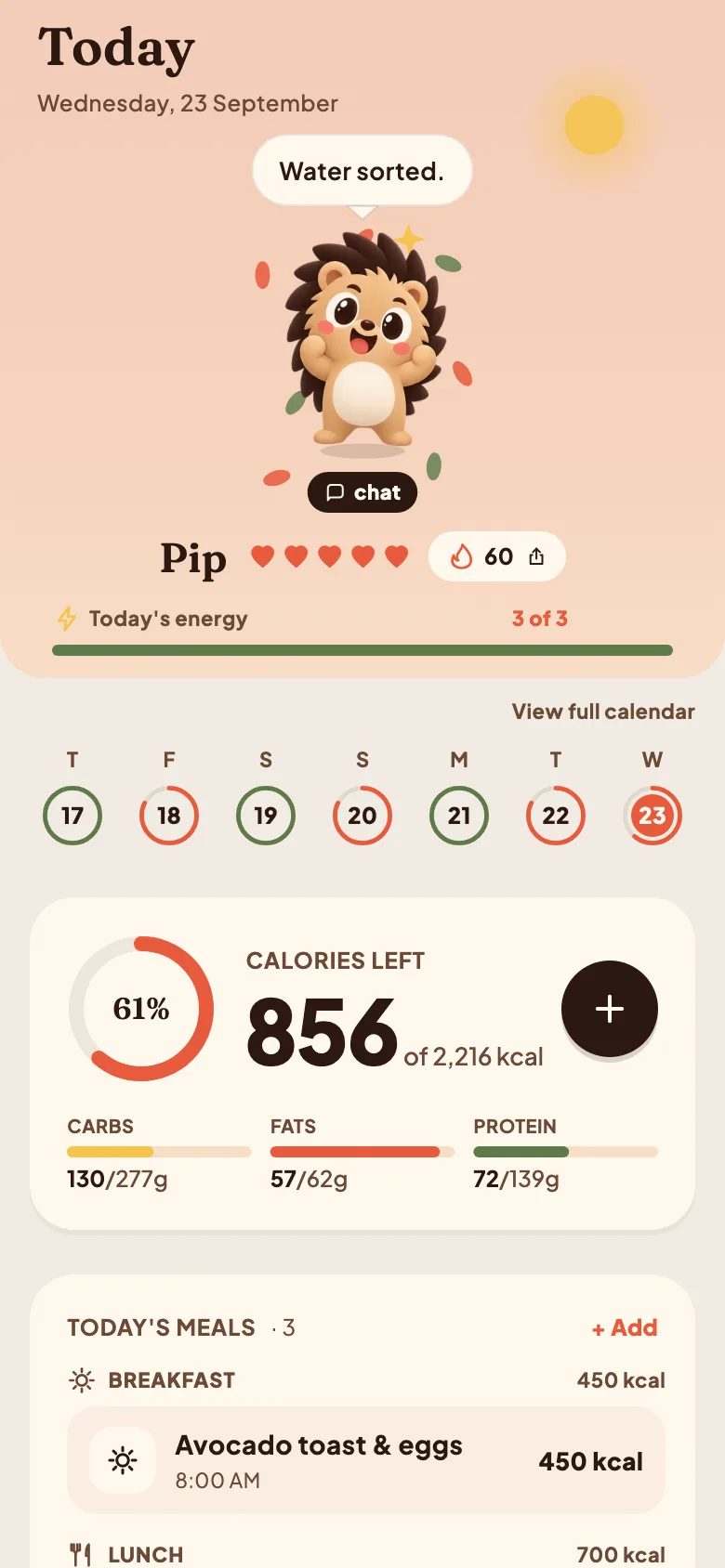
Calories alone will not tell you why you are hungry at nine at night. A macro tracker splits the day into protein, carbohydrate and fat, and the useful version shows all four numbers at once rather than making you open a menu for each.
The reason this earns its place on the home screen is decision speed. If the protein ring is behind at five o'clock, dinner has already chosen itself. New to the four numbers? Start with macro tracking for beginners.
3. A food diary that survives a bad week
Under the rings is the log: every meal, sorted by breakfast, lunch, dinner and snack, with the day's total. A food diary is the oldest tool in this category and still the one most strongly associated with actually losing weight, and the only version that works is the one you keep.
That is the whole design argument for the scanner above. An approximate log kept for a month beats an exact one abandoned on day nine. More on making it stick in keeping a food diary.
4. A calorie target that updates itself
Most people use a calorie calculator once, write the number on a note, and outgrow it within a month. Your maintenance falls as you lose weight, by roughly 200 to 300 kcal per 10 kg, so a target set in January is wrong by March.
Calfit recalculates from your current weight and goal rather than the weight you started at. If you want the arithmetic first, the calorie calculator is free and needs no account, and what maintenance calories are explains what the number is made of.
5. A weight trend, not a daily number
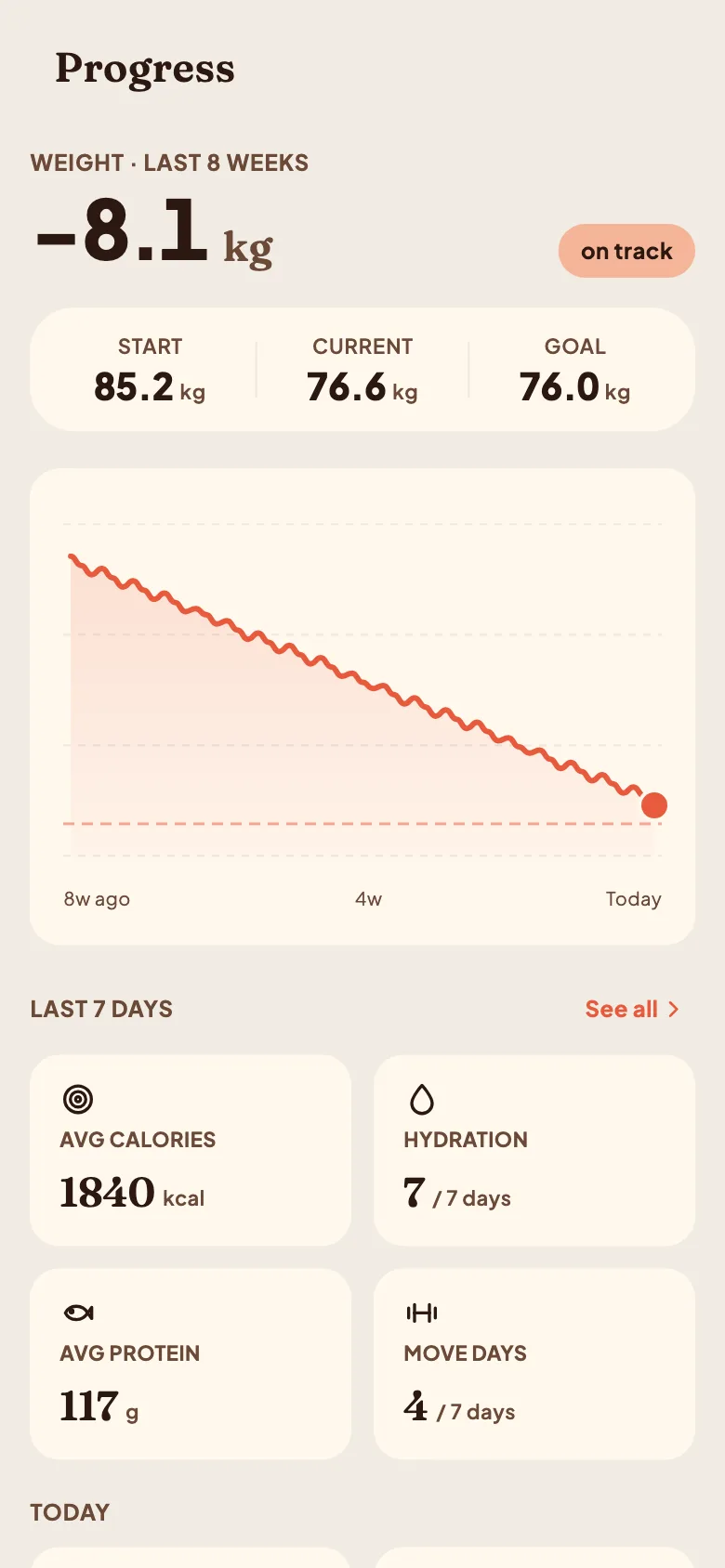
A scale moves 1 to 2 kg on water alone. A weight tracker that plots every reading as a point turns normal fluctuation into a daily verdict on your character, which is both wrong and demoralising.
The trend line is the feature. It smooths the noise so the direction is visible, which is the only part that means anything week to week. Why weight fluctuates goes through the causes.
6. An intermittent fasting timer in the same app
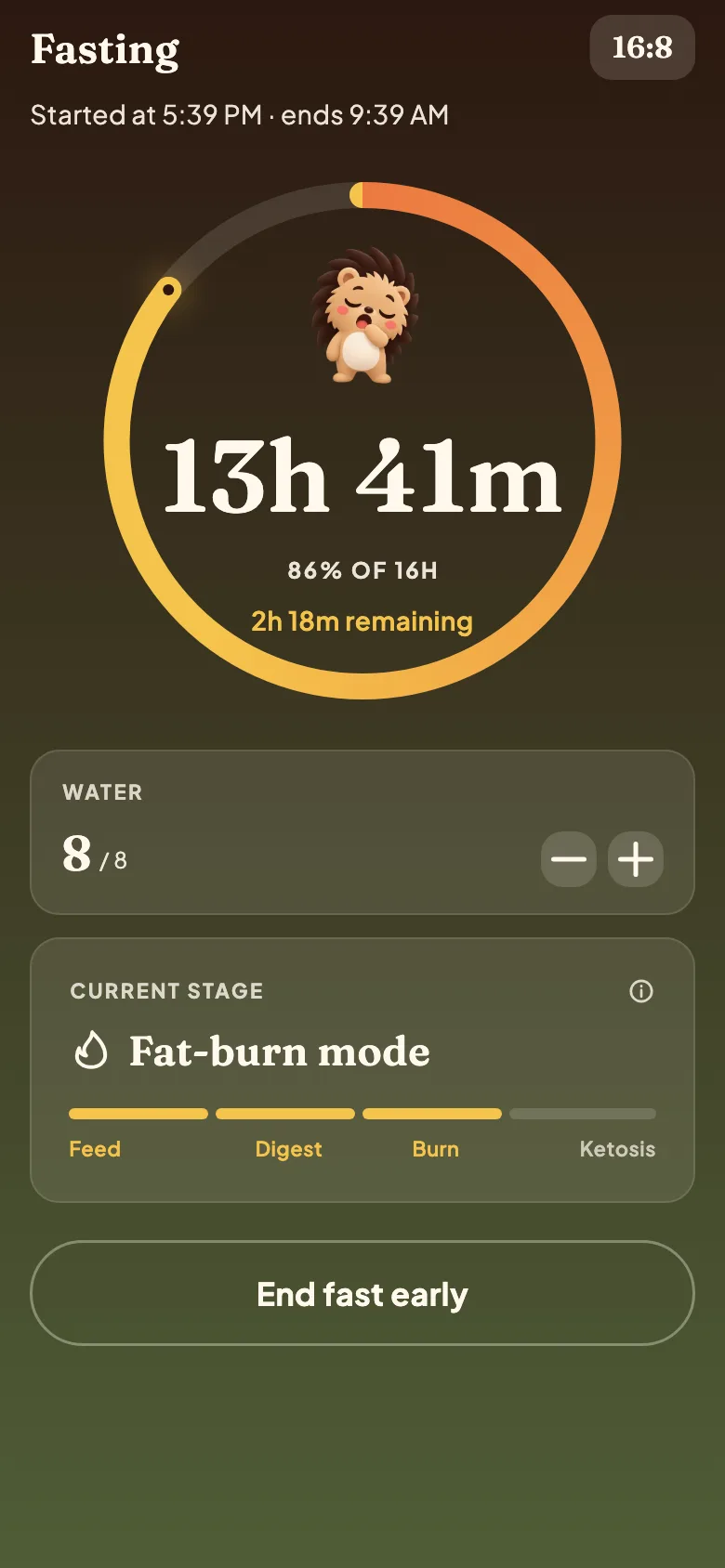
If you fast, the window and the food are the same decision, and keeping them in two apps means neither has the full picture. The intermittent fasting timer handles 16:8, 18:6, 24 hour and a window you set yourself, and it sits next to the log rather than in a separate product.
New to it: how 16:8 fasting works, and the fasting calculator for your window.
7. A water tracker, because it is one tap
A water tracker is the least clever feature here and one of the most used, because the whole interaction is a single tap per glass. Our guide on how much water per day covers what the target should actually be, which is less prescriptive than the eight glasses rule suggests.
8. A carb counter, stated carefully
Carbohydrate is one of the three macros, so a carb counter comes free with the macro tracking above: grams per food, per meal and per day, against a target you set.
Worth being precise about what that is and is not. Calfit counts carbohydrates. It does not give insulin guidance, it says nothing about blood glucose, and a photo estimate is not accurate enough to dose from. If you count carbs for diabetes, read this first, and use a label or a scale for anything you dose from.
What is deliberately not here
Three things people ask for that Calfit does not do, said plainly because a feature list that only lists features is an advert:
- No exact accuracy claims. A photo is an estimate. Any app promising precision from one is selling you something.
- No blood glucose, no insulin, no medical claims. See above.
- No social feed. There is a streak and a mascot, and no audience for your lunch.
Sources
- Evaluating the quality and comparative validity of manual food logging and AI enabled food image recognition in apps for nutrition care, Nutrients, 2024
- Self monitoring in weight loss: a systematic review of the literature, Journal of the American Dietetic Association, 2011
- Log often, lose more: electronic dietary self monitoring for weight loss, Obesity, 2019
- Quantification of the effect of energy imbalance on bodyweight, The Lancet, 2011
How this was made
Written by Abdullah Javaid, founder of Calfit, drafted with AI assistance and edited by hand. Every screenshot above is a capture from the current Calfit app, taken on 2026-09-23, and the meals and figures in them are sample data rather than a real account. The accuracy ranges quoted for photo estimation come from published testing of photo based food estimation and are given as ranges because that is how they are reported.